Klingon RAT Holding on for Dear Life
With more malware written in Golang than ever before, the threat from Go-based Remote Access Trojans (RATs) has never been higher. Not only has the number of Go malware increased but also the sophistication of these threats. This is a technical analysis of an advanced RAT written in Go that we are calling Klingon RAT. The RAT is well-featured and resilient due to its multiple methods of persistence and privilege escalation. It was determined that the RAT is being used by cybercriminals for financial gain. It is important to stay on top of this threat as it will degrade Antivirus security through killing targeted processes and hiding communications through encrypted channels.
Technical Analysis
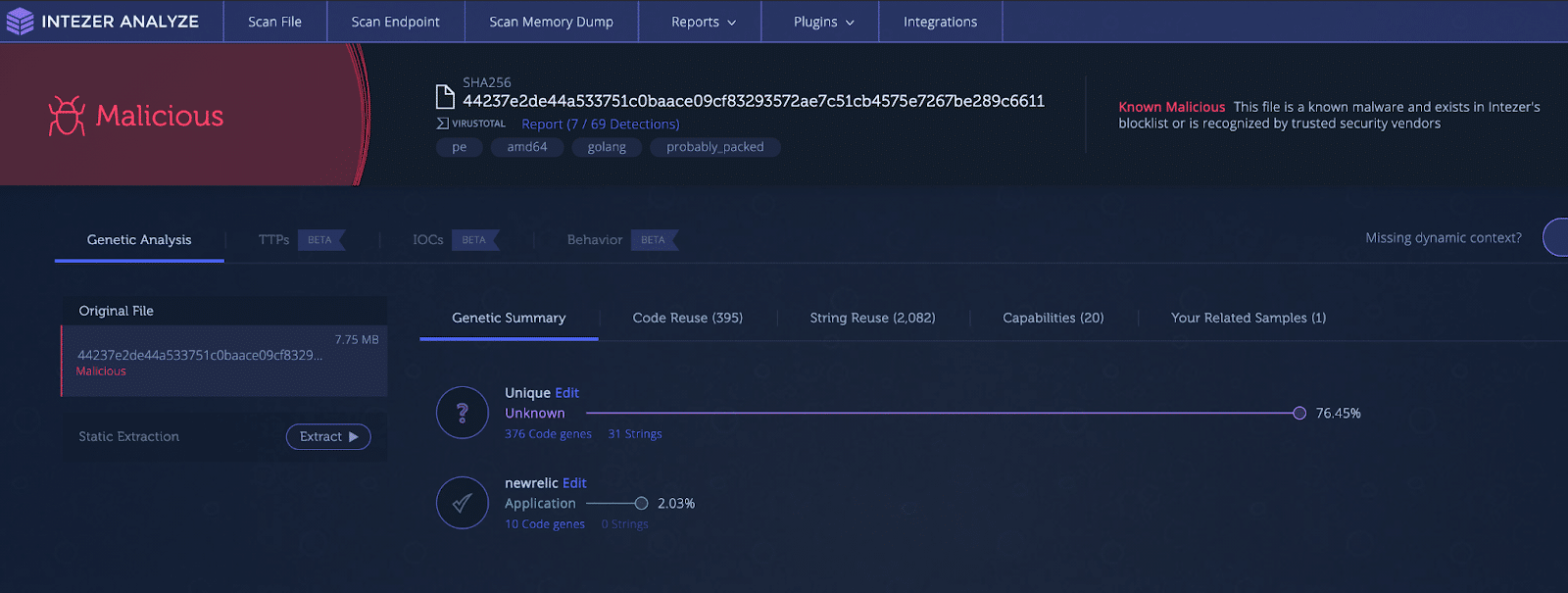
When searching our various hunting platforms for malware one particular sample caught our eye. This Go sample, active since at least 2019, was flagged as malicious but mostly unique code by our platform. It is not common to find RATs with very few code reuse. Threat actors reuse code all the time to expedite malware development. Since it is rare to see a RAT with such a large amount of code written from scratch, we dug deeper down the gopher hole. This RAT is full of tactics to combat Antiviruses, maintain persistence and escalate privileges. It communicates encrypted with its Command and Control (C2) server using TLS and can receive commands allowing the attacker to fully control the infected machine.
Initialization
The malware starts by creating an object whose purpose is to store information about the victim machine, controller setup and paths to dropped utilities.
It will then run a WMI command
(wmic process get Caption,ParentProcessId,ProcessId) to get all running
processes. The returned value is parsed and stored in a slice. The malware will
check this process list and match it against a list of targeted Antivirus
processes. The taskkill command is used to kill matching processes and child
processes. The targeted processes are
linked here.
To start gathering the information on the victim machine, it will get the OS
version using the ver command, then grab the username. A GET request is made
to https://api.ipify.org to get the public IP address.
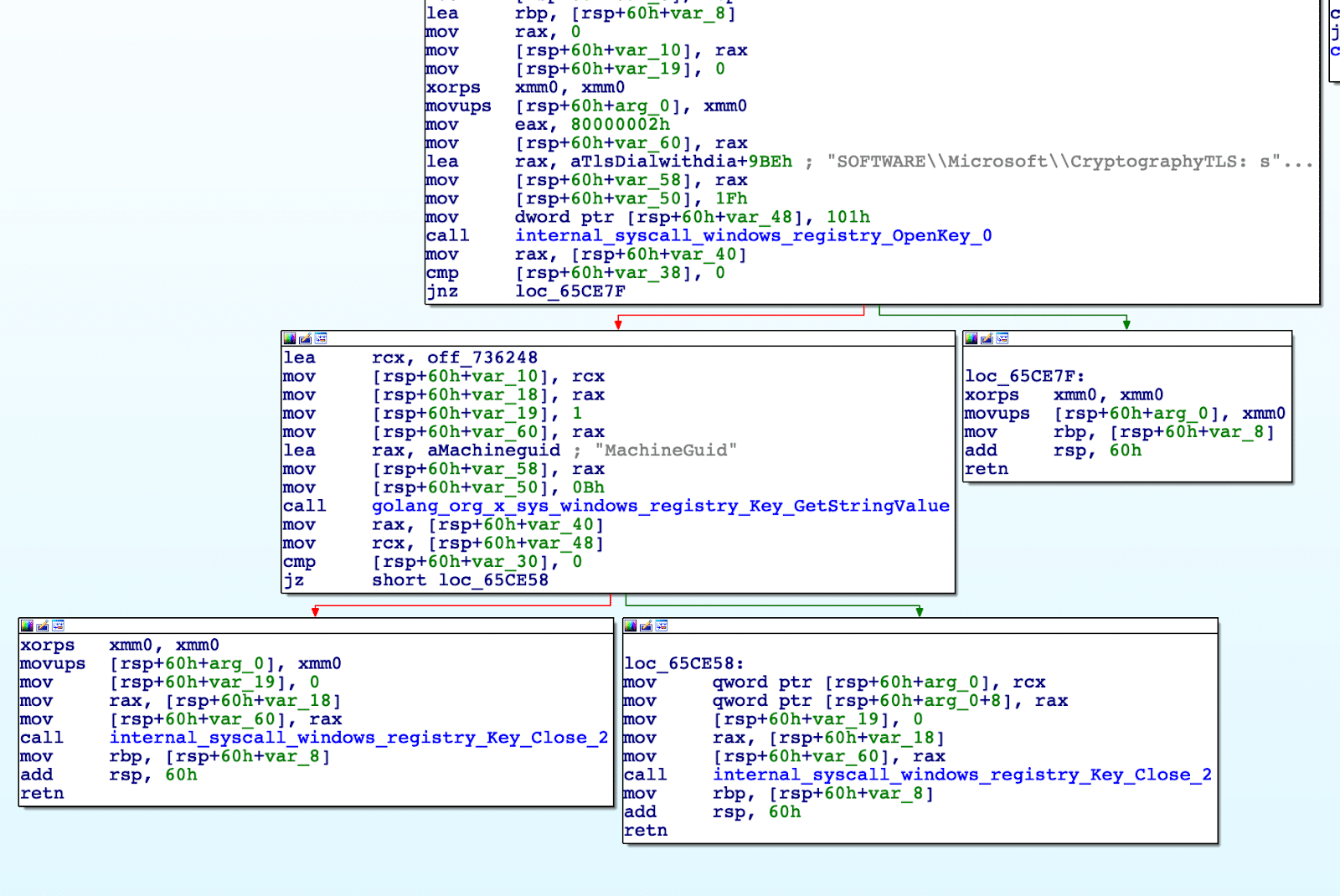
Finally in this function, it will fetch the machine ID from the registry key
HKEY_LOCAL_MACHINE\SOFTWARE\Microsoft\Cryptography as shown in Figure 2. This
ID will later be sent in a beacon to the Command and Control (C2) server.
Dependency Deployment
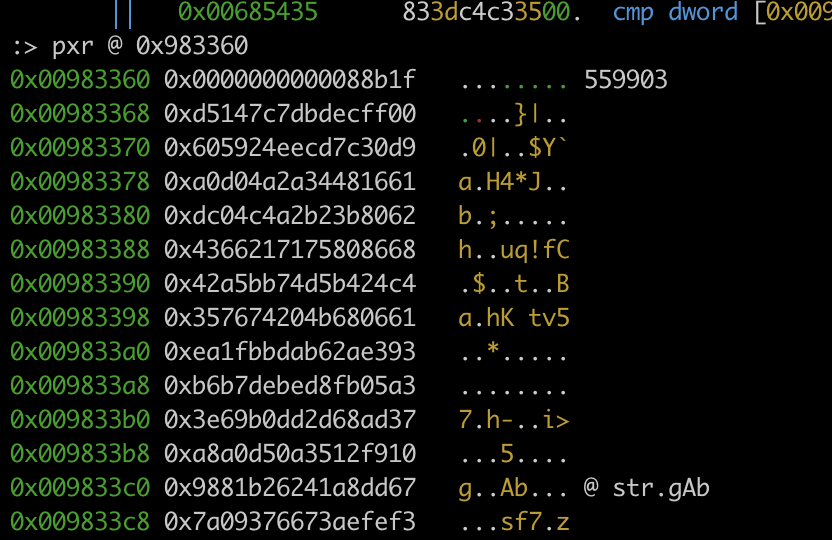
The malware will decompress and drop three Gzip embedded files into the
%temp% directory. The dropped files are utilities for the threat actor to use
once a C2 channel has been established. The files dropped are Foxmail,
PAExec and LSASS, shown below.

Next, the malware will check to see if it is installed at
C:\Users\IEUser\AppData\Local\Windows Update\updater10.exe. If not installed,
the malware will be relocated to the path.
Persistence
Persistence can be set up in multiple ways, some of which require admin privileges. Privilege escalation will be covered in a later section.
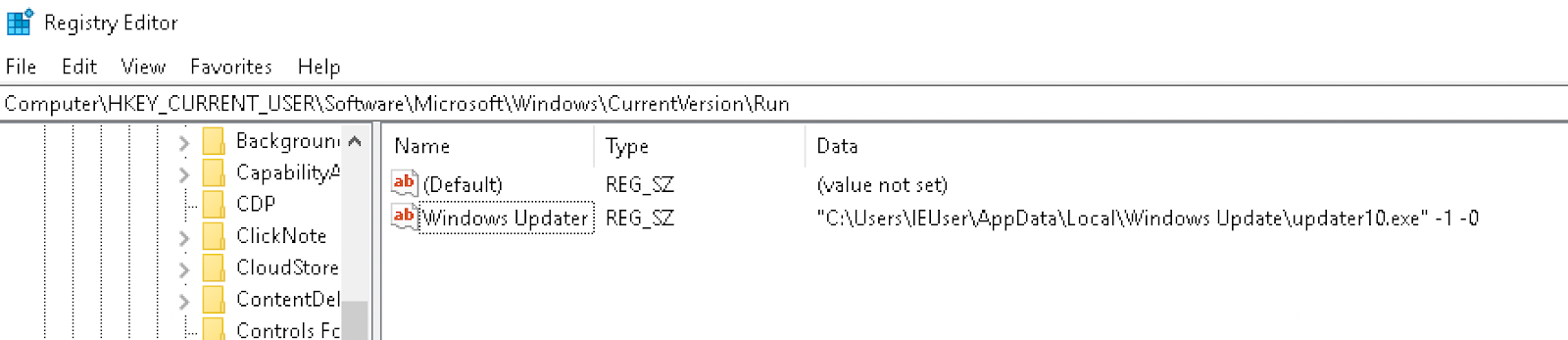
Registry Run Key: Current User
The following registry entry is created:
- Key:
Computer\HKEY_CURRENT_USER\Software\Microsoft\Windows\CurrentVersion\Run - Name:
Windows Updater - Value:
"C:\Users\{USER}\AppData\Local\Windows Update\updater10.exe" -1 -0
Registry Run Key: Local Machine
A similar entry as the above is created at:
Computer\HKEY_LOCAL_MACHINE\Software\Microsoft\Windows\CurrentVersion\Run
Image File Execution Options Injection
Image File Execution Options are configured by the Windows registry with the
intention of being used for debugging. This can be leveraged for persistence as
any executable can be used as a “debugger.” The malware ensures the following
keys exist:
HKEY_LOCAL_MACHINE\Software\Microsoft\Windows NT\CurrentVersion\Accessibility
HKEY_CURRENT_USER\Software\Microsoft\Windows NT\CurrentVersion\Image File Execution Options\magnify.exe
The Image File Execution Options key has the following entries set:
| Name | Data |
|---|---|
Configuration | mangnifierpane |
Debugger | "C:\Users\IEUser\AppData\Local\Windows Update\updater10.exe" -1 -0 |
This causes the binary for Microsoft Screen Magnifier (magnify.exe)
accessibility tool to be backdoored and execute the malware.
WMI Event Subscription
In this option the malware utilizes WMIC to create an event subscription for
persistence. Three commands are executed to create events in the
root\subscription namespace that will start the payload within 60 seconds of
Windows booting up. The commands executed are:
wmic /namespace:'\root\subscription' PATH __EventFilter CREATE Name='GuacBypassFilter', EventNameSpace='root\cimv2', QueryLanguage='WQL', Query='SELECT * FROM __InstanceModificationEvent WITHIN 60 WHERE TargetInstance ISA 'Win32_PerfFormattedData_PerfOS_System"

wmic /namespace:'\root\subscription' PATH CommandLineEventConsumer CREATE Name='GuacBypassConsumer', ExecutablePath='"C:\Users\IEUser\AppData\Local\Windows Update\updater10.exe" -1 -0', CommandLineTemplate='"C:\Users\IEUser\AppData\Local\Windows Update\updater10.exe" -1 -0'

wmic /namespace:'\root\subscription' PATH __FilterToConsumerBinding CREATE Filter='__EventFilter.Name='GuacBypassFilter", Consumer='CommandLineEventConsumer.Name='GuacBypassConsomer")
Winlogon Helper DLL
The malware can modify the Winlogon key in order to run itself during Windows
logon. The path of the executable is appended to the Userinit entry.
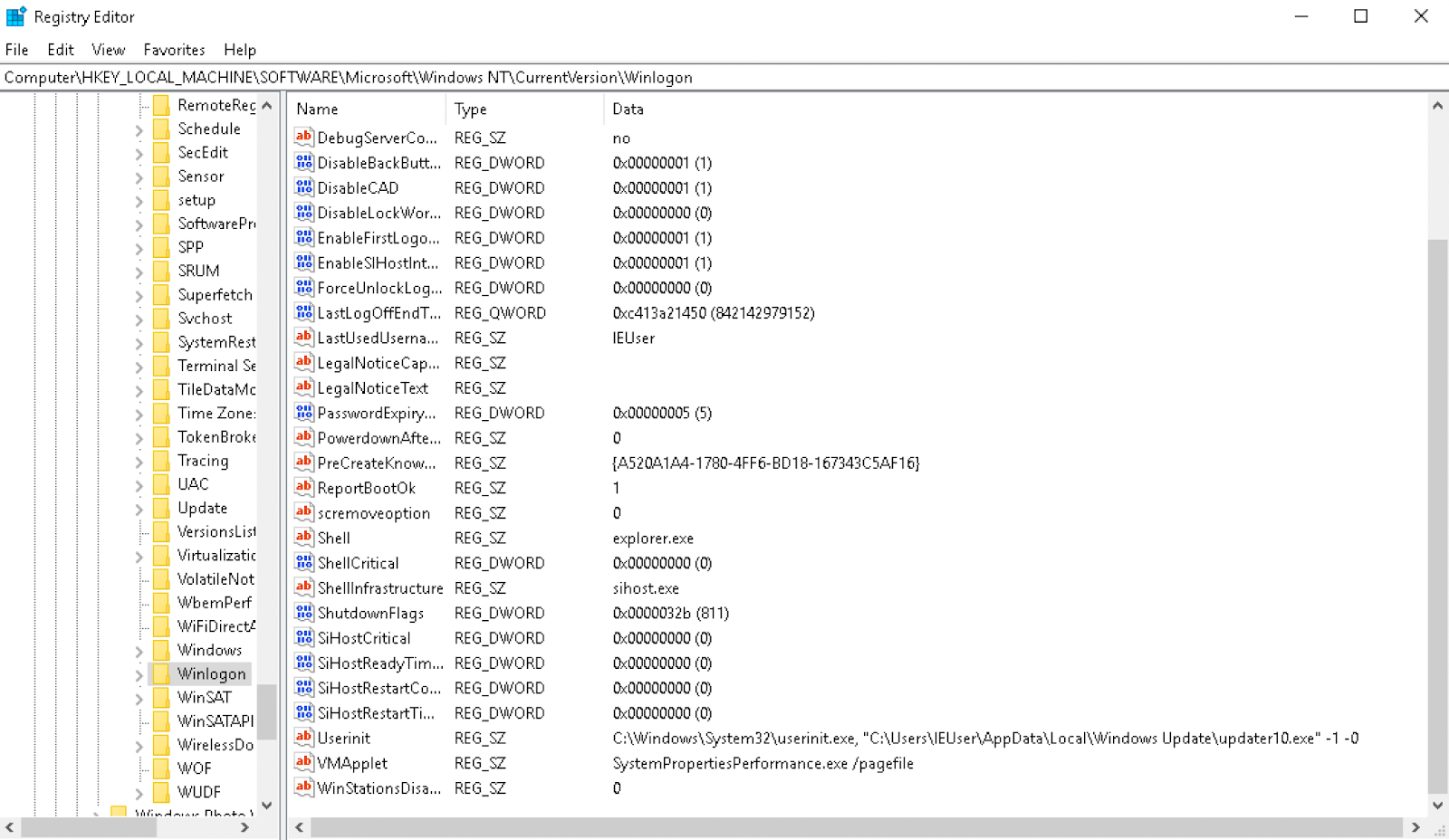
Scheduled Task
The malware can create a scheduled task called OneDriveUpdate to maintain
persistence. The task is configured from an XML file, elevator.xml dropped to
APPDATA, to trigger upon logon.
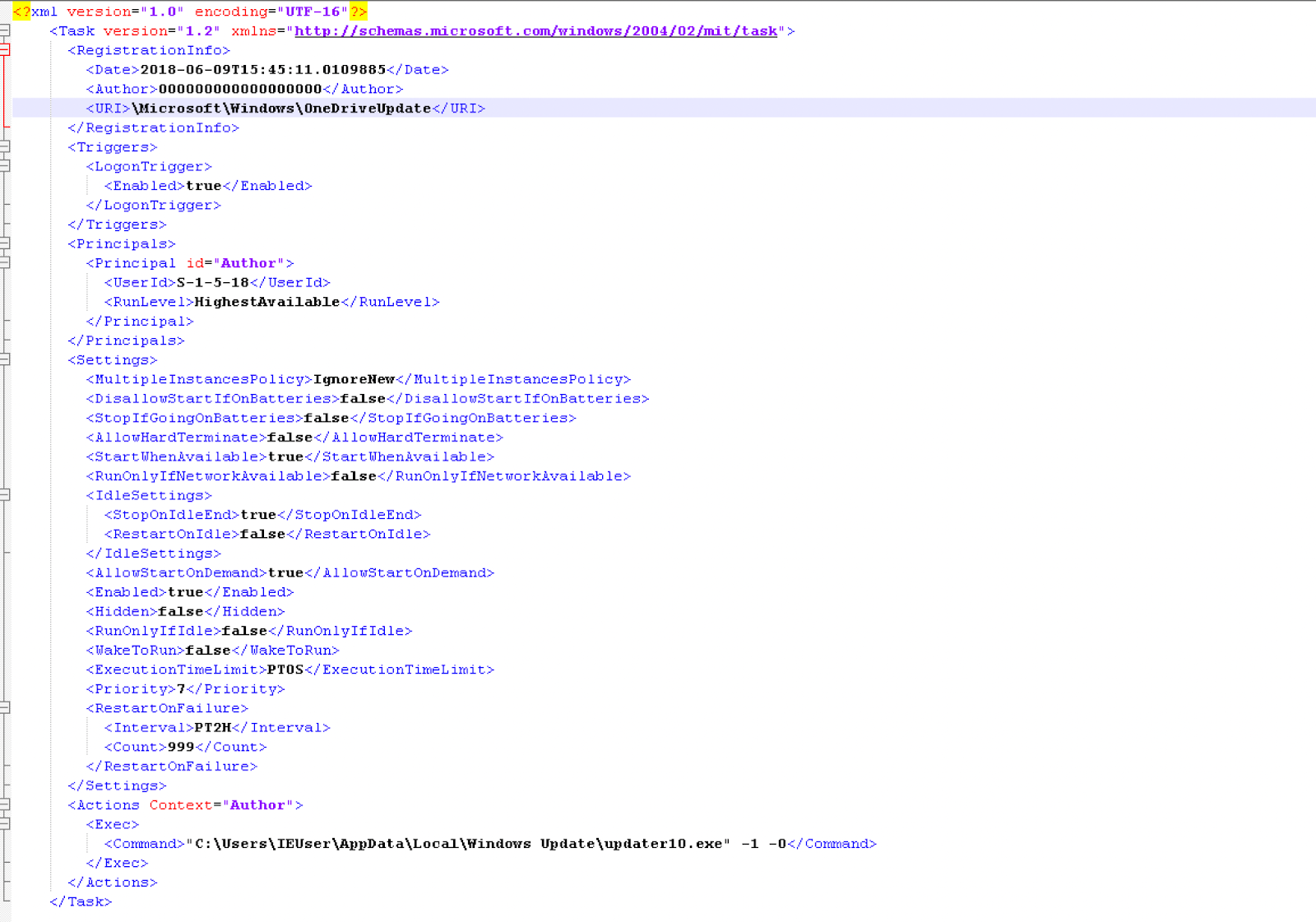

The file elevator.xml is then removed from the disk.
Privilege Escalation
There are multiple avenues that the malware can take for privilege escalation.
It will first test to see if it already has admin privileges and if it is a
Windows server. To check if the process has admin privileges, it will attempt
to open \\.\PHYSICALDRIVE0; if unsuccessful, the malware will attempt to open
\\.\SCSI0. If successful for either of these, it will return True from the
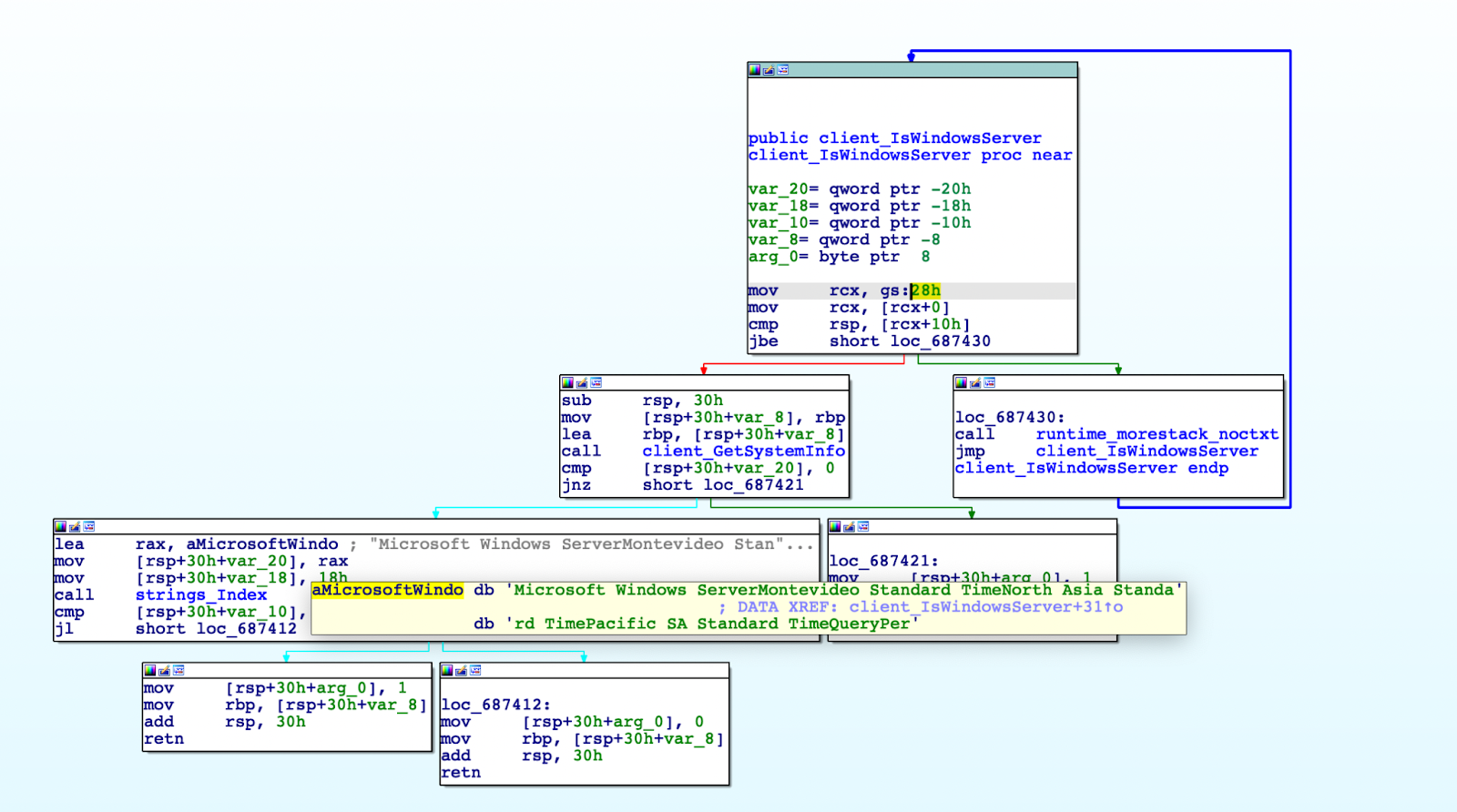
function. If False, the program will check to see if it is a Windows server
by running the command systeminfo, and parsing for the string
Microsoft Windows Server, as shown in Figure 9.
The malware has four options for privilege escalation, one of which is not implemented properly:
UAC Bypass: Computer Defaults
This exploit starts by opening the following registry key:
HKEY_CURRENT_USER (0x80000001)\Software\Classes\ms-settings\shell\open\command
The default entry is set to the path of the malware, and an entry
DelegateExecute has an empty string value added. Next, the program
computerdefaults.exe is executed to complete the exploit.
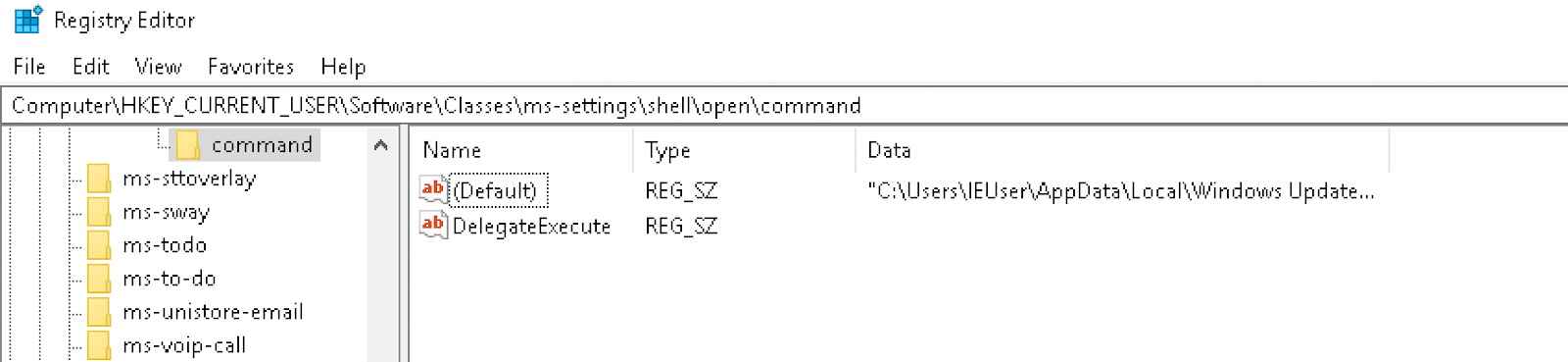
The key is deleted after exploitation.
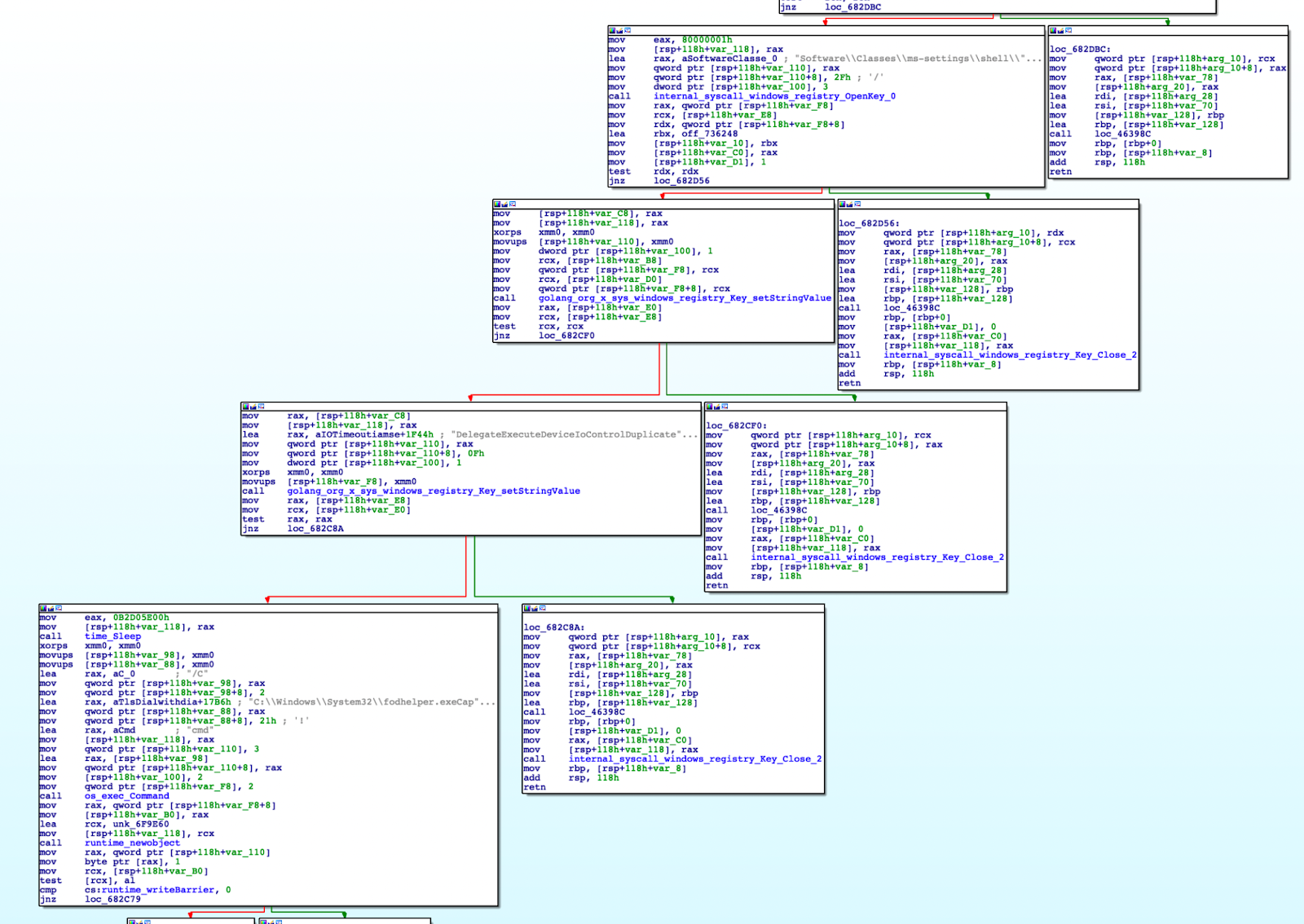
UAC Bypass: Fodhelper
This exploit is similar to the Computer Defaults UAC bypass but this time it
leverages the program “Features on Demand Helper” (Fodhelper.exe), a binary
with the autoelevate setting set to true. The same registry entries are used.
UAC Bypass: Disk Cleanup
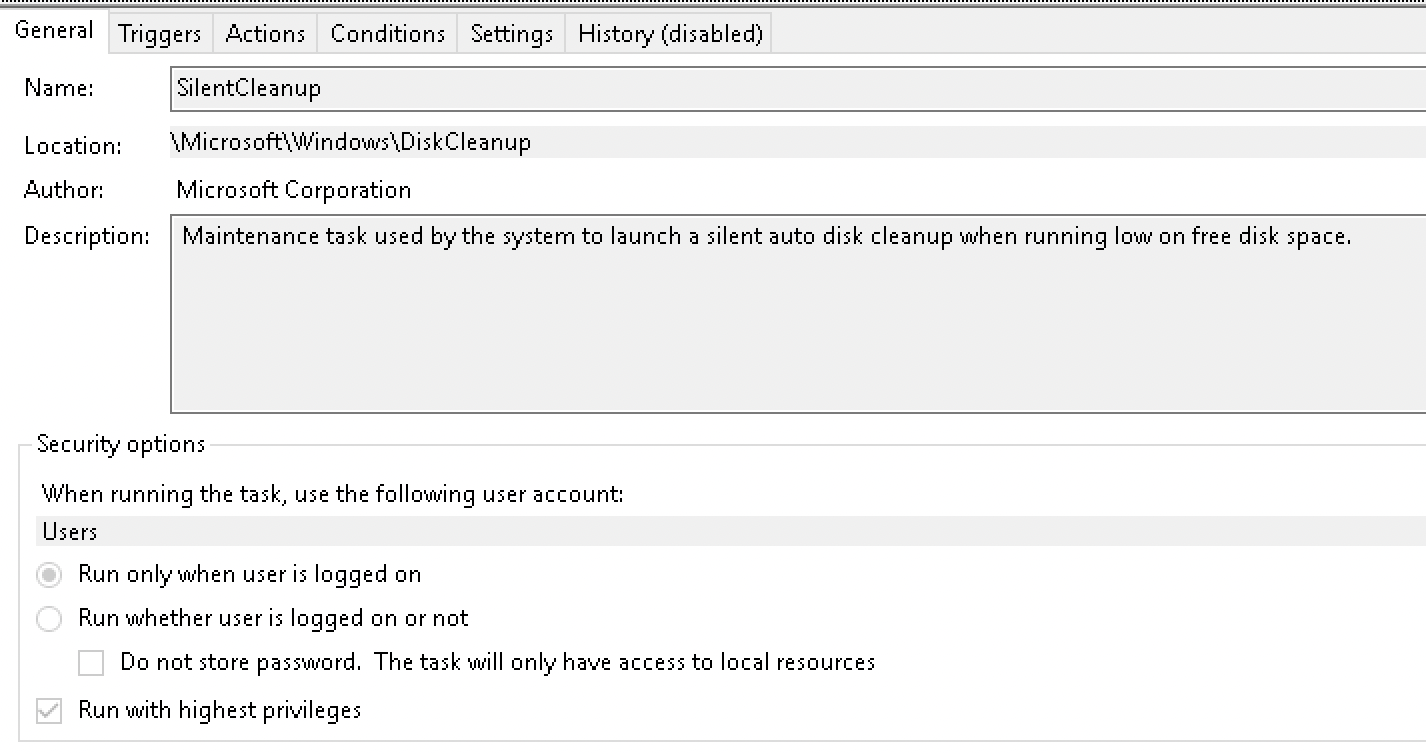
This UAC bypass works by leveraging the scheduled task named SilentCleanup.
This task runs with the highest privileges but is configured to have the
ability to be executed by unprivileged users.
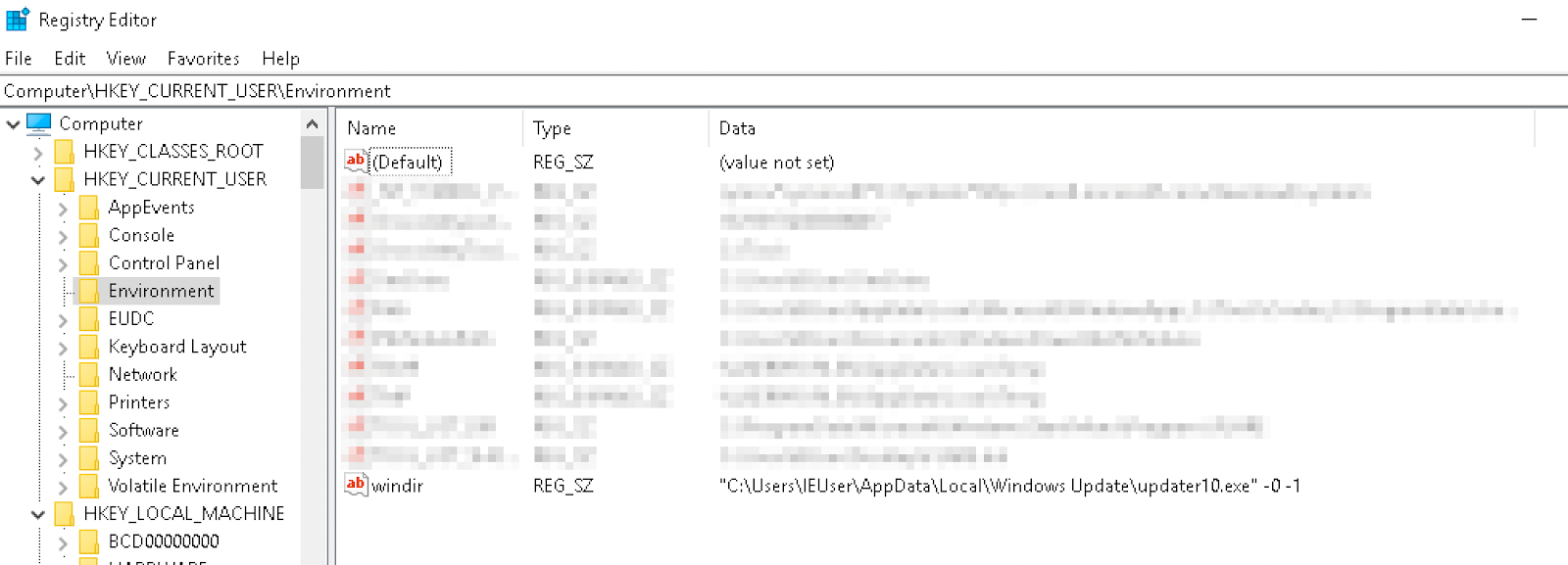
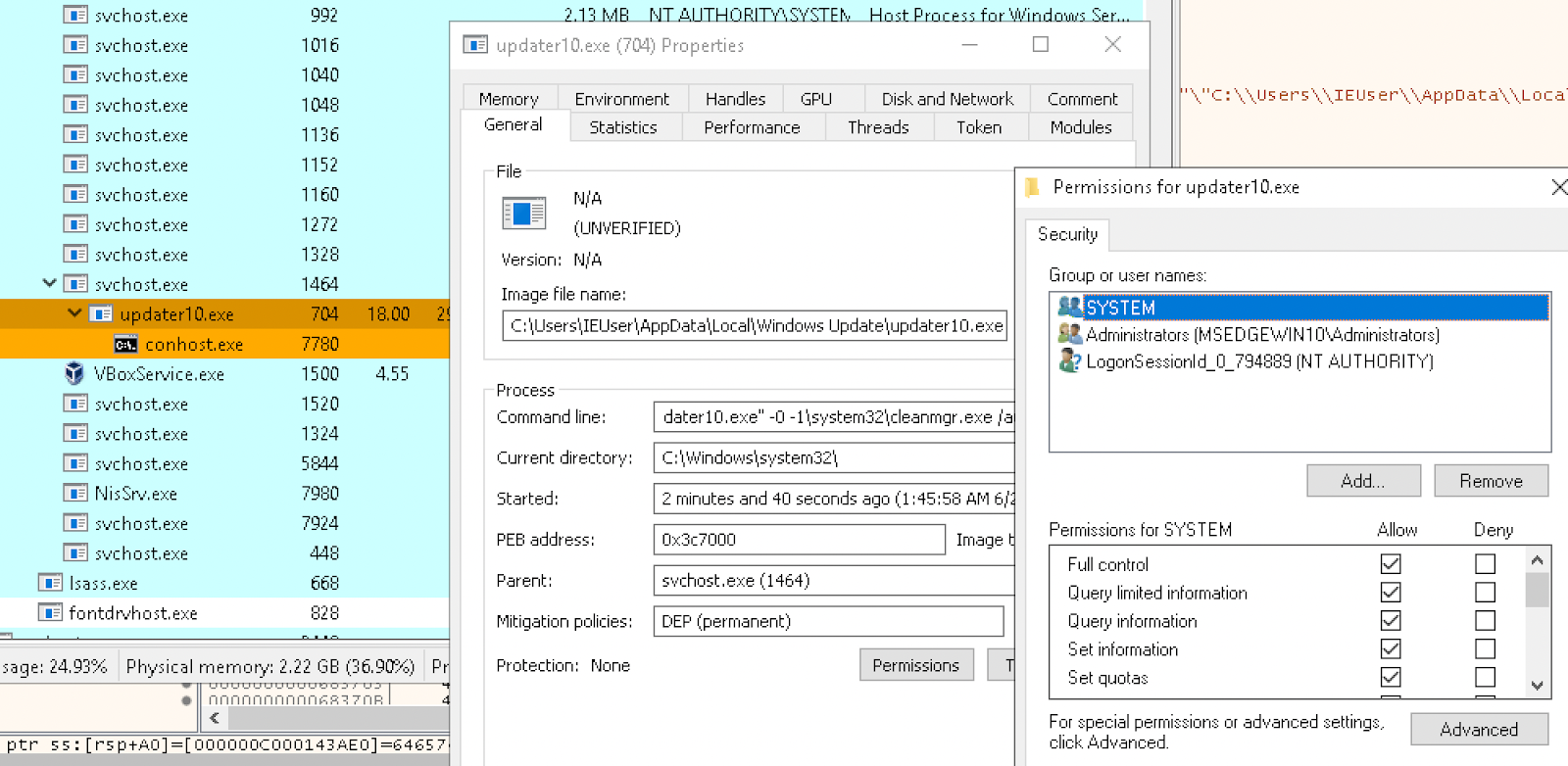
The malware attempts to leverage the environment variable %windir% to execute
itself with higher privileges. The scheduled task runs an action
%windir%\system32\cleanmgr.exe, therefore the malware tries to set the
windir variable to the path of the malware.

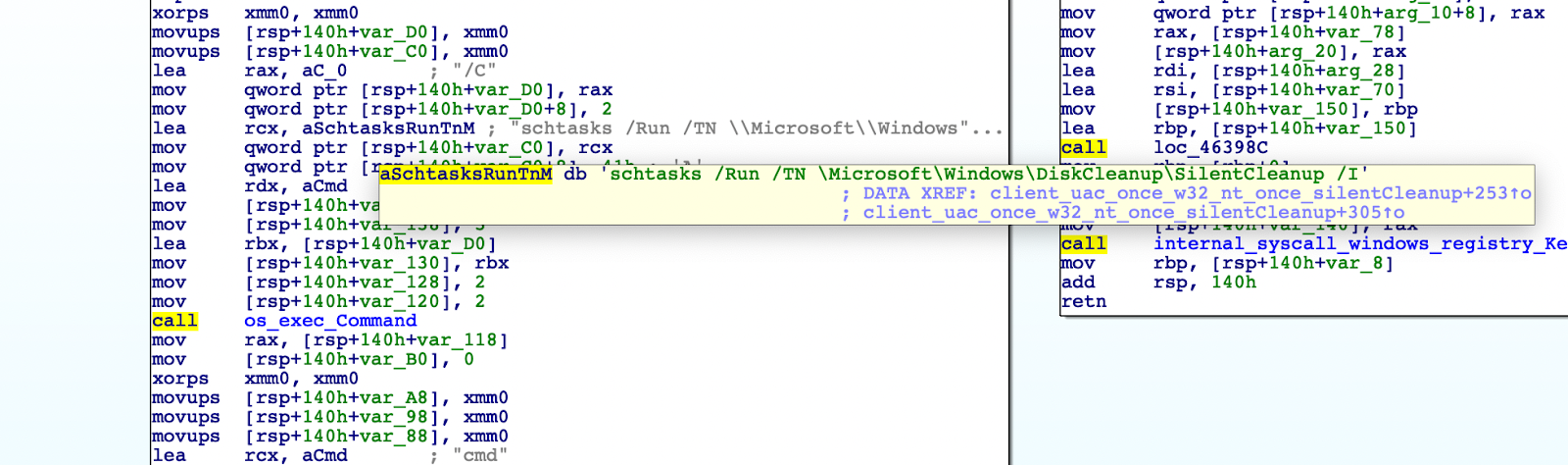
After setting the registry, the malware runs the scheduled task.
The resulting process:
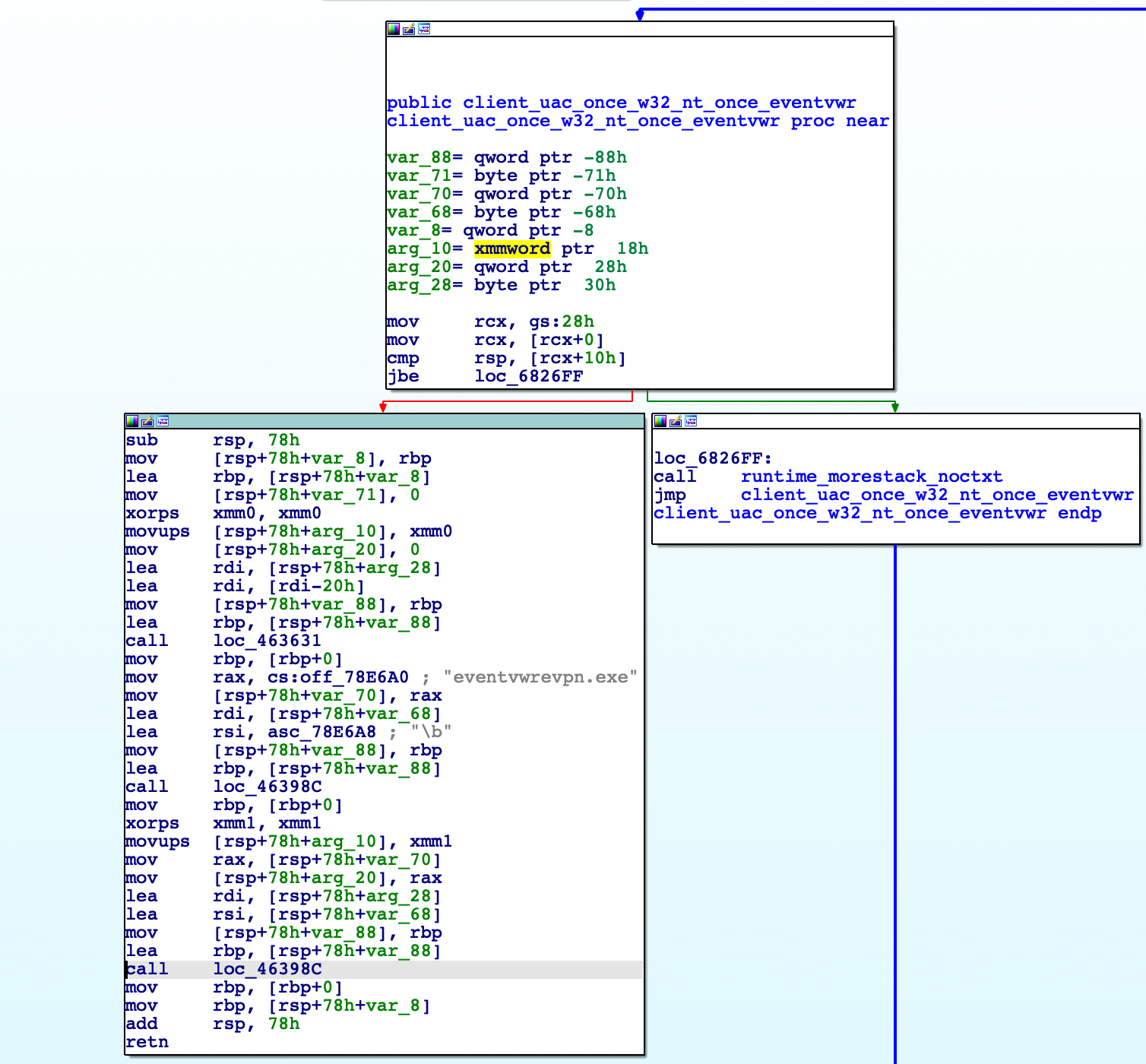
UAC Bypass: Event Viewer
Based on the strings in this path, it appears that the malware intended to leverage the “Event Viewer” UAC bypass. But this does not appear to be properly implemented in the program.
Command and Control
Before Command and Control (C2) is established the malware initiates a controller struct:
type control.Controller struct{
        bot model.Bot
        socksSessions []control.SocksProxy
        shellSessions []control.Shell
        connection net.Conn
        keepAlive net.Conn
}
First, a x509 keypair is decoded from Base64 and loaded by the function
tls.x509KeyPair.
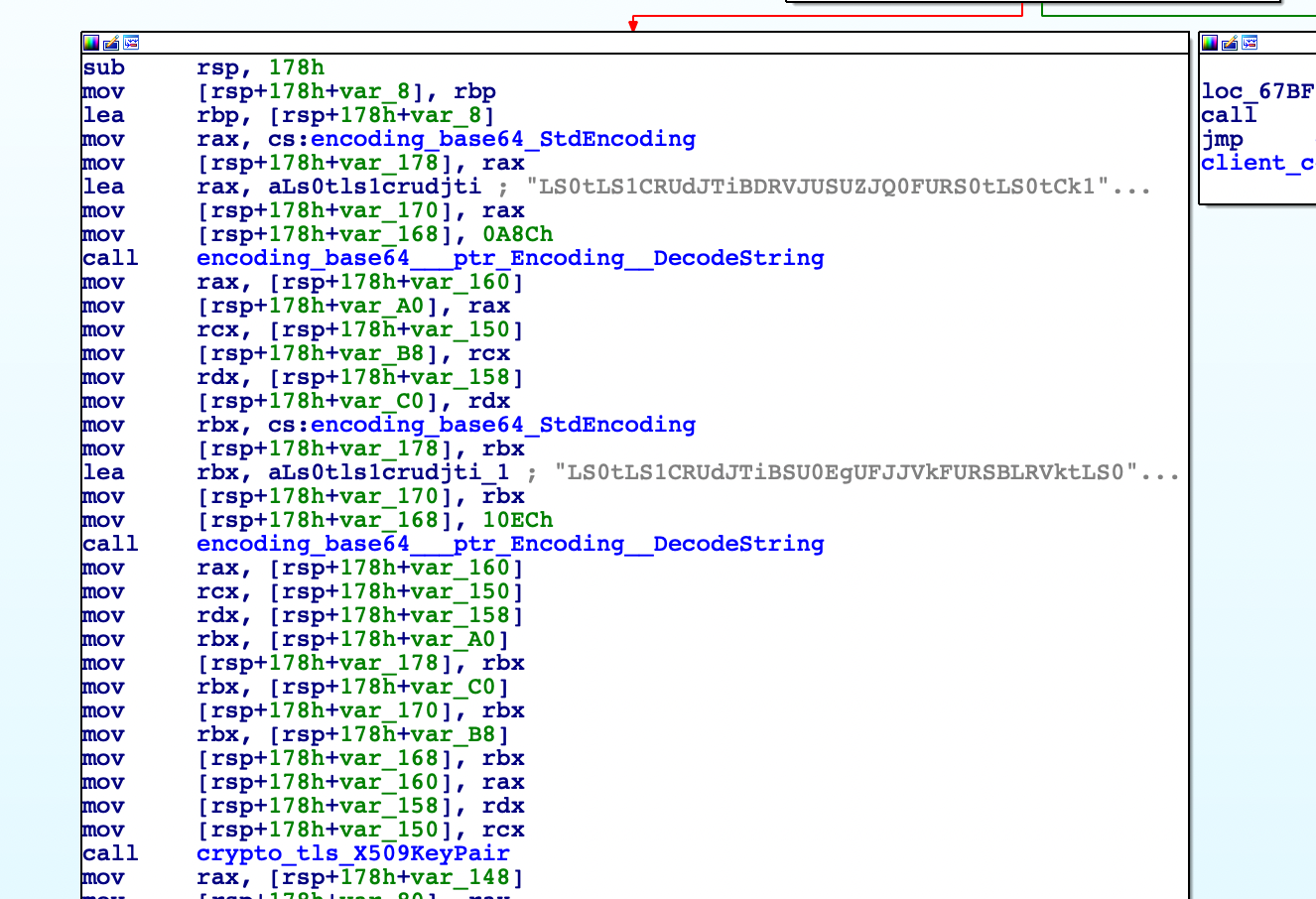
The decoded keypair is
linked here
and
here.
Strings from this certificate can be matched to strings in the Issuer DN of a
similar certificate with subject
“UrbanCulture, Inc.”
A further PEM certificate is decoded and appended to the cert pool. A TLS
handshake is performed with the C2 server 185.188.183[.]144 on the port
1141 and then creates a Goroutine called Controller.WaitCommands.
The malware is able to:
- Start a SOCKS proxy (
proxy) - Start a reverse shell (
shell) - Start an RDP server (
rdp) - Start a binary (
binary) - Update binary (
update) - Run PowerShell command (
cmd)
The malware will initiate further Goroutines to collect information from the
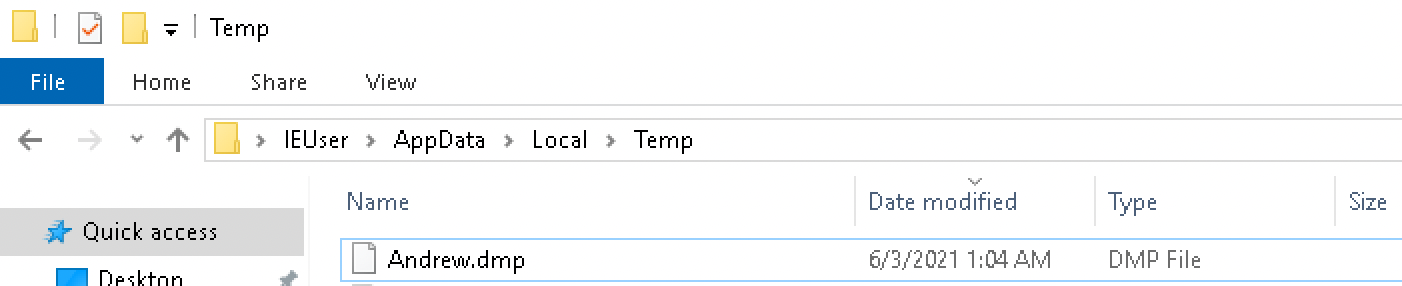
system. If running as administrator, it will run the Lsass binary previously
dropped into the temp folder.

The results are stored in a file called Andrew.dmp inside the temp folder.
This information is sent to the C2 server through a HTTP POST request.
Another routine will take a fingerprint of the machine, concatenating the results into a string, and send this off in a HTTP POST request. It runs the following commands in this order:
systeminfoipconfignet view /allnet view /all domainnet users /domainnltest /domain_trustsnltest /domain_trusts /all_trusts
Finally, the malware will periodically get information about the local network and adapters.
Detect and Respond to Klingon RAT
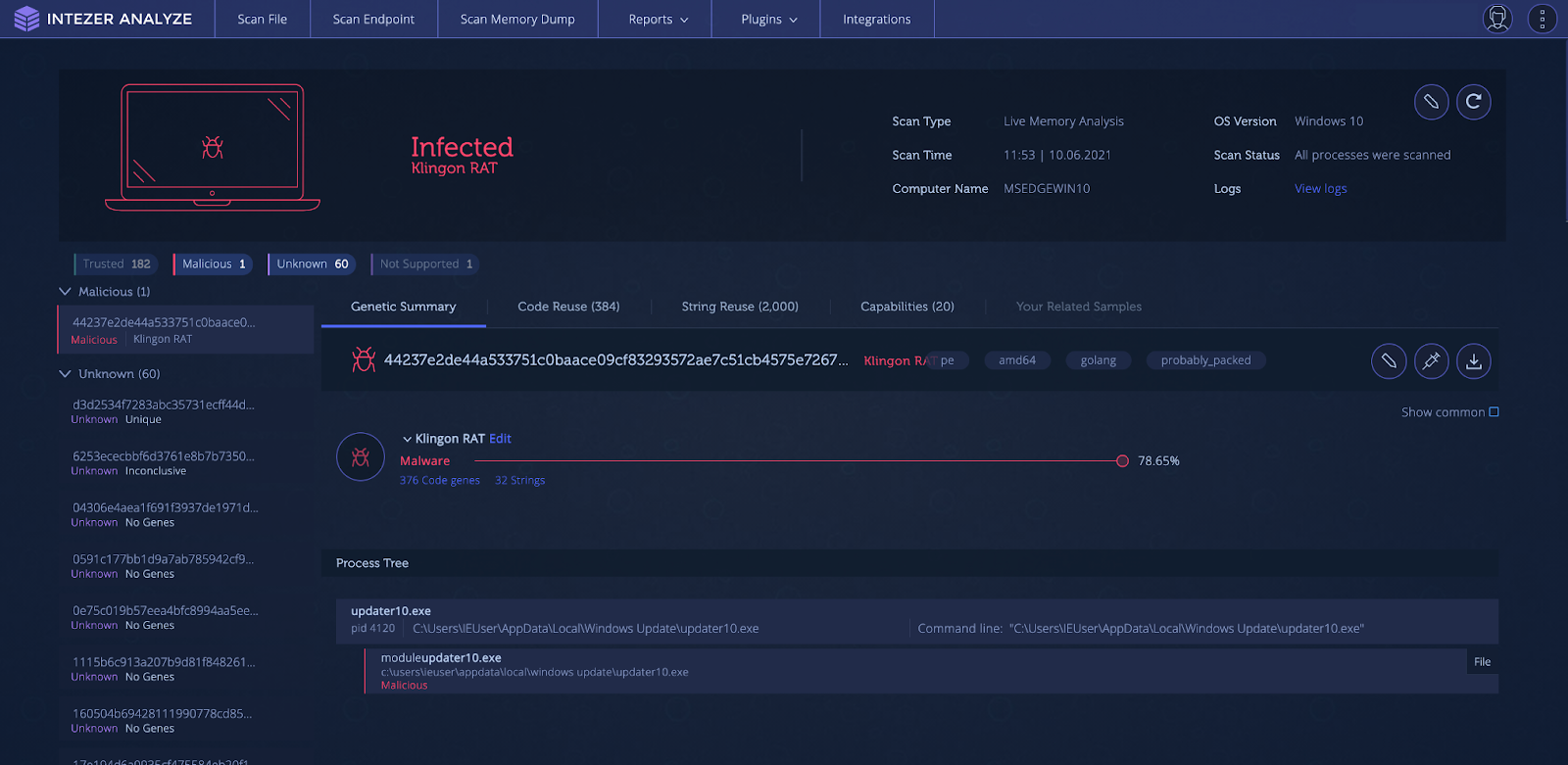
Detect if your Windows machine or server has been compromised by Klingon RAT or any variant that reuses code using the Intezer Analyze Live Endpoint Scanner available via the enterprise edition. Running the scanner will classify all binary code residing in your machine’s memory.
Indicators of Compromise
| MD5 | C2 |
|---|---|
8d44ccac6b5512a416339984ad664d79 | 185.188.183[.]144 |
14471a353788bb6cdb6071d0e0a83004 | 94.177.123[.]134 |
327090cbddf94fc901662f0e863ba0cb | 88.214.27[.]40 |
39d550fd902ca4c1461961d01ad1aeb6 | 51.83.216[.]211 |
MITRE ATT&CK
Note
Learn more about Intezer